Geolocation API without maps

HTML5 provides the geolocation api. This is commonly used to move the map to the position of the user. Quite a useful feature, but obviously it is not limited to this. I made a quick HTML5 site which will give the height of you location according to the AHN - the dutch height model.

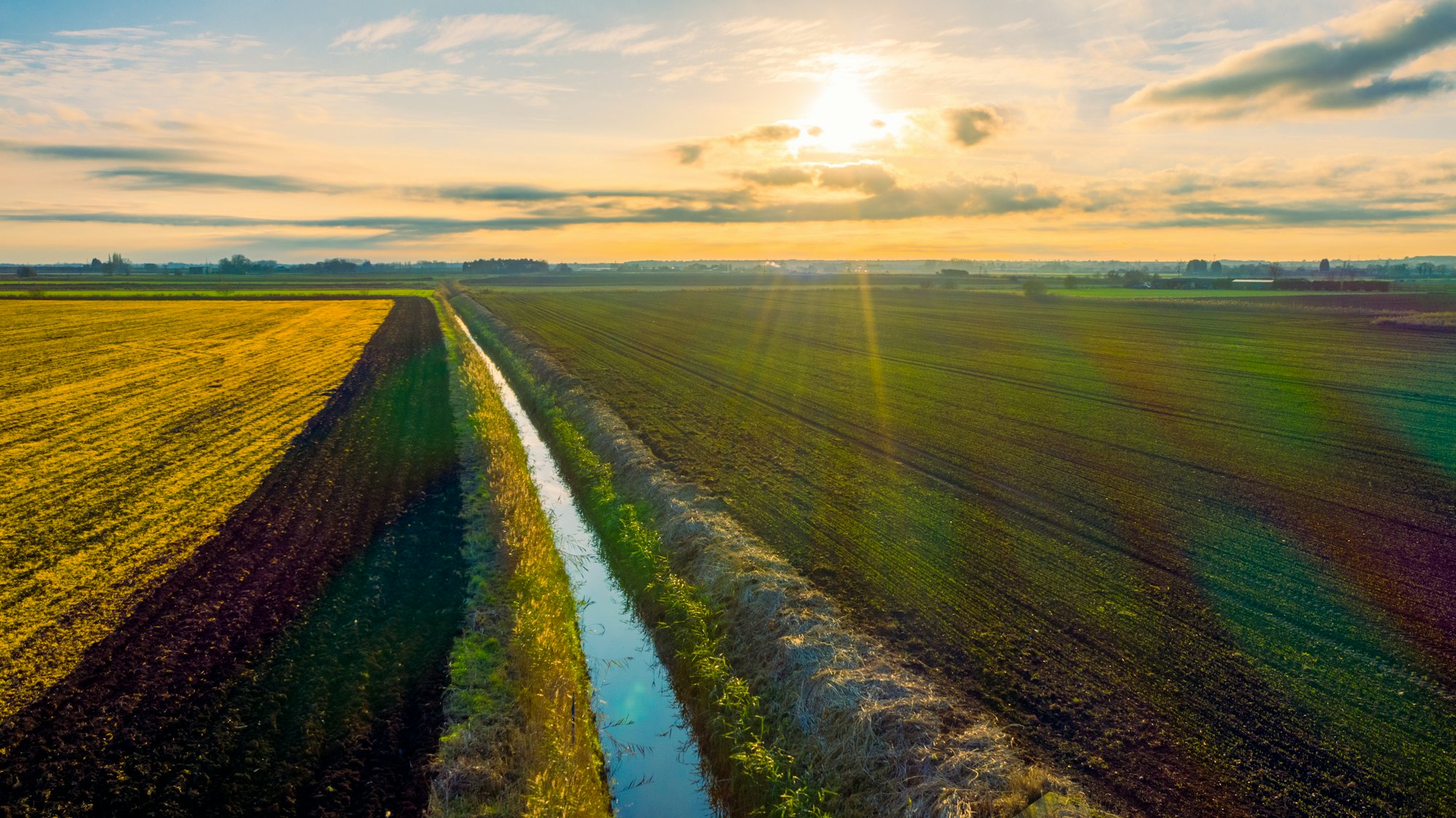
It is very simple: the geolocation API will provide a coordinate and I use that coordinate to do a getfeatureinfo on the AHN-service of EduGIS. To make it slightly more interesting it will show a cow if you’re above sea level, a nice coral reef if below and a foggy picture if the app doesn’t know where you are, or doesn’t have a height for that location.

Obviously this only works for the Netherlands, since the AHN only provides heights for the Netherlands.

You can find your own height here: http://research.geodan.nl/hoogte/

Timesliding canvas maplayer

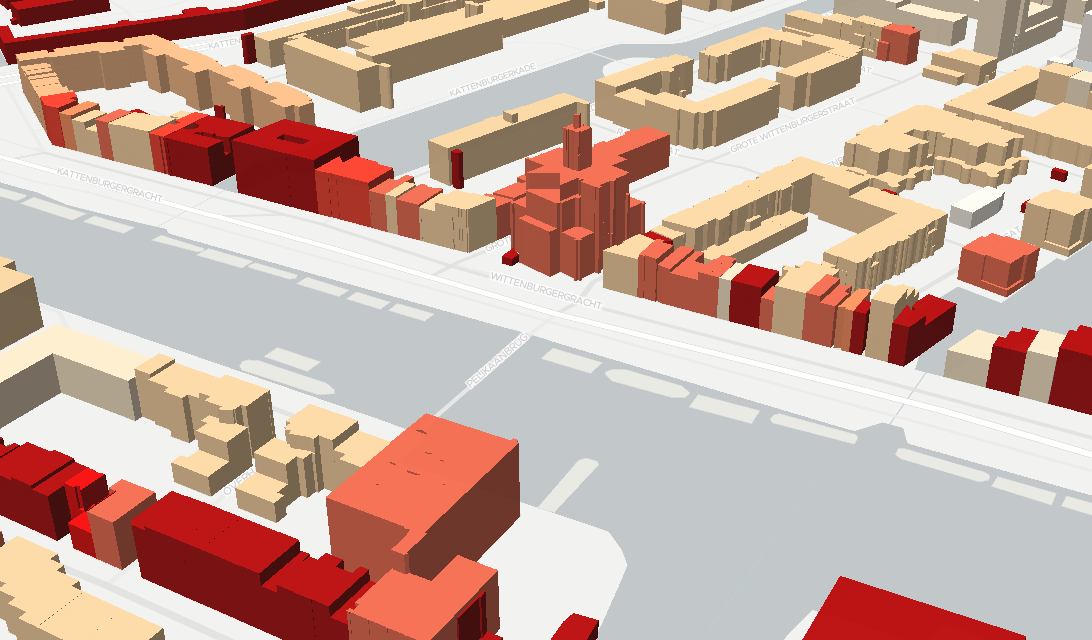
After someone saw my BAG building data movie YouTube Preview Image he asked if it would be possible to create an interactive map of the entire Netherlands. This made me think, since creating the movie was a very time consuming action. The problem is that there are about 6 million buildings in the BAG database. This makes the data a bit unwieldy to use directly in the browser. The old fashioned way to do time series on maps involves creating a new layer for each time-moment (year in this case). This would mean that there would be over 150 layers to be loaded on the map and switching between those for the ‘time sliding’ effect. Apart from the hideous task to set up 150 almost the same layers, it would end up with too much images for a browser to handle.

However modern browsers have the <canvas> element. This element allows for the manipulation of single pixels within this element. So I figured if I could encode the building-dates in a PNG and use canvas to display only those pixels which represent a building older than the given date it should be possible to time-slide through the buildings. Fortunately the fancy new mapping library Leaflet.js has a canvas tile layer build in. The BAG data is already available through EduGIS, so I only needed it to encode the data differently in the PNGs.

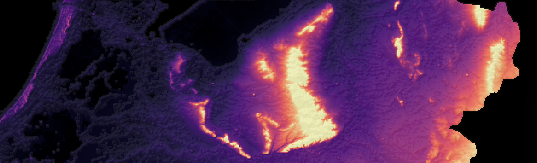
The encoding is very simple: per pixel there are 4 values available: red, green, blue and alpha. Since I only needed to encode 200-odd values I used just the red value. The years before 1850 are encoded as groups, since the data is so sparse, after 1850 each year is individually encoded. This means that from 1850 onwards the red value increases with 1. The client retrieves the encoded PNGs as normal tiles and look like this:

The image appears grey because I kept the green and blue values of the PNG the same as the red. This image is loaded into canvas and the imageData is retrieved using ctx.getImageData(0, 0, 256, 256) and stored as a jQuery data object on the canvas. This is important, since for visual effect we will manipulate the imageData on the canvas and we want to keep track of the original values. Once the imageData is attached to the canvas the colors are being calculated. It will take the original values, compares them to the current year and will decide whether or not to show the pixel and in which color.

Since only the grey tile is needed, the actual sliding through time is really fast because it doesn’t need to retrieve more data. With 4 bands of 255 values each you can encode an insane amount of data into a PNG, readily available through canvas for direct manipulation. Apart from time sliding, is detailed representation of DEM data an obvious use case.

Dike break at Woltersum

During the high water levels a few days ago there was some fear the dike at Woltersum might break. People were evacuated and the dike was monitored closely (see eg http://www.denverpost.com/breakingnews/ci_19686918).

The dike did not break fortunately. However, it would be interesting to see what would have happened if it did break. So one of our colleagues, Tom van Tilburg, installed the Anuga flooding model (http://anuga.anu.edu.au/). In record time this model was configured using GIS data and executed for this specific polder.

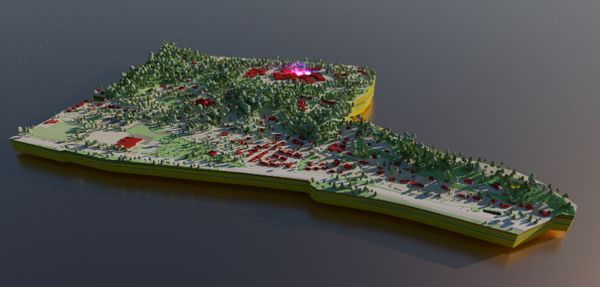
Below the situation (water depth) is shown after 45 minutes.The dike broke in this simulation just southwest of Woltersum (in the middle of the dark blue polygon).

The results are just an indication, and absolutely not accurate, validated or whatever. For example, a random speed of 450 cubic meters per second is used for the flooding in stead of a flooding based on the canal properties itself.

Despite the result being just an indication, the speed at which the model van installed and configured using GIS data like height data (AHN) and topographic data (Top10NL) was impressive. Within two hours after downloading the model we had results. And a result based on real, large scale GIS data. With just a bit more accurate estimation of the flooding speed, the results would be more than just an indication.

Social media in crisis management

Since its launch in 2006 the microblog platform Twitter has become more and more popular. Private persons and organizations use this social medium to interact and communicate about all possible matters. Especially in times of crisis people intensively use Twitter to keep in touch with the rest of the world, so scientists have discovered. Twitterers are sharing their feelings or  are retweeting information supplied by official channels. Eyewitnesses are logging their own observations, which could include photos or videos. This behaviour was observed during many crises, such as Pukkelpop in 2011, Haiti in 2010 or the Love Parade in 2010. Disaster relief organizations like the Red Cross use this information to investigate the state of the crisis, the need for relief supplies, or the number of victims.

Organizations concerned with disaster relief at first used social media to supply the public with information and instructions. We now see more and more opportunities to turn this one-way flow of information into two-way traffic: Information supplied by the public could greatly enhance the view on a developing crises for crisis management teams. It is a form of crowdsourcing: With or without being asked for it, the general public is supplying much needed data for information systems.

Stages in a developing crisis

A crisis or disaster typically goes through several phases until it is entirely dealt with. We see that crowdsourcing with social media is especially fruitful when a crisis is being actively repressed. Much needed information like the location of victims, their immediate needs, missing person reports or the state of the infrastructure can be supplied by social media.
After the active phase of a crisis, the affected area and population will go through a phase of recovery. Social media can be used as a data source in that stage too. Crowdsourcing can supply data needed for damage calculations and to assess the needs for physical and psychological post-trauma humanitarian aid.
Whether social media can effectively be used as an early warning system to identify new crises before they are reported through official channels is still under investigation.

Social media as an information source: potential

Undoubtedly there is a huge potential for social media as an information source for crisis management, especially in crises where a large number of people that are capable to use social media are involved. A huge amount of data can be collected in a short time, and members of the public typically are earlier on the scene of a crisis than officials. Furthermore, information shared through social media can immediately be effective as a source for information for the general public. Lastly, data obtained from social media can be used to validate official data: Is the gas cloud really where we thought it would be or do people smell something in a different area?

Social media as an information source: concerns

Although crowdsourcing through social media can valuable source of information in crisis management, some care has to be taken in getting the right information. There is a risk of polluting the crisis management information pool if data from social media are not carefully selected. One aspect is filtering data on relevance. For example, not everything that is being twittered is of relevance for crisis management. Filtering on location and hash tags can help in separating the wheat from the chaff. A further help can be sorting data on reliability of its source.

Using social media in the Dutch national crisis management system

Geodan Research is implementing crowd sourcing for the research project i-Bridge. Two plug-ins provide additional information input from social media.
One of the plug-ins is the Twitter-searcher, which collects data from Twitter. Both location and hash tags are used a filter. Tweets filtered in this way are visible to the crisis manager, who can decide whether the information is important or not.
The other plug-in uses Ushahidi as a data source. Ushahidi is an open source software platform used for the collection, visualization and interactive mapping of information. The software was used in different cases, such as natural disasters, or the Arabic Spring. Ushahidi provides data in a more structured way. For example, it used categories that are of immediate use to a crisis manager.

Watch Big Brother watching you

Our former colleague Martijn (he moved to the USA) initiated a small research topic on surveillance cameras. They are everywhere, and there must be people and organizations behind them that are watching us and recording our movements. Some would say these cameras are an intrusion on our privacy, others would say that they play an important role in keeping public places safe. Without judging their existence, crowdsourcing can be used to get a grip on the phenomenon.

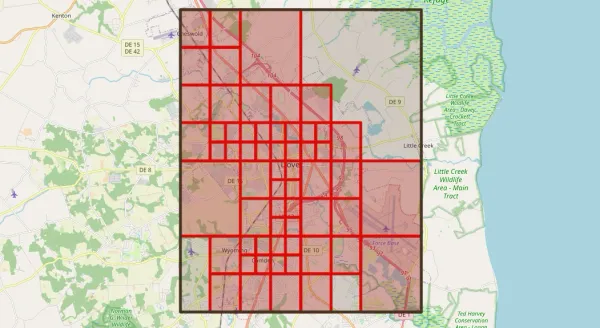
OpenStreetMap (OSM), the crowdsourcing platform for topographic data, has defined a tag for surveillance cameras. That means that anyone that would like to record the presence of a camera can do so in the global OSM database. Unfortunately for the active camera logger, the locations of surveillance cameras is not revealed on the standard OSM map. We have to assume that is not because of an evil alliance between Big Brother and OSM, but because there just is not enough space available on the map to plot everything that has been recorded by the crowd of contributors. So what if you are genuinely interested locations and other data on surveillance cameras?

Well, you could download the entire OSM database – it is called a planet file – and get all the camera data from there. The problem is, the database is very big (currently 16 GB in compressed form) and it is updated each week. Next to downloading the full database there is the option of downloading subsets of data. Some methods are described here. But massive downloading of data selections is frowned upon as the OSM servers are not configured for that purpose. Besides that, OSM remains focussed on map production, rather than the supply of raw data.

So then … Linked Data comes to the rescue! The project LinkGeoData takes (almost) all of the OSM data and make them available as raw data, following the principles of Linked Data. At linkedgeodata.org we can find a SPARQL endpoint than can be used to request data on just surveillance cameras. On this page a simple SPARQL query is used to request data on surveillance cameras within a certain geographic extent. The request is a basic HTTP GET request, and the SPARQL endpoint is politely asked to format the result set using JSON. JSON is a convenient data format to use on web pages. When the data set is returned, the data are used to create an OpenLayers layer that can be displayed on a reference map (provided by OSM, incidentally). Have a look at the page source code, it is only a few lines of javascript code.

One of the things we dare to conclude form this small experiment is that the two emerging phenomena ‘Crowdsourcing’ and ‘Linked Data’ play very well together. We can expect this successful cooperation to intensify when the SPARQL standard will be enriched with methods to update data.

Web mapping with SVG

Scalable Vector Graphics – the concept has been around for a while (since 2001), but it did not become a popular web format because of lack of browser support. Now that web browsers are getting ready for supporting the host of new features that come along with HTML 5 and CSS 3 we see an increase in support for SVG. Perhaps SVG is now usable enough for geographical vector data? We have done a bit of testing, resulting in two self contained HTML files that a modern web browser can turn in to interactive maps. At the time of writing the examples only work properly in Google Chrome. Here are the files:

An interactive map of Africa: Shows country labels when the mouse pointer hovers over a country and blows up a country after a mouse click.

An interactive map of the World: Shows some country attributes when mouse pointer hovers over a country and allows for zooming and panning.

Both samples have a few things in common:

  • The map is always fitted into the available space of the browser window.
  • The web page is self contained. It does not make use of external data sources, scripts or libraries. Operating the map does not generate any network traffic.
  • CSS is used for styling geometries and for alternative styles when the mouse pointer hovers over a geometry.
  • SVG transformations (like scaling and translations) are handled with javascript. You can see the javascript functions in the HTML code of the page. Handling SVG with javascript is easy because all SVG objects are part of the DOM.

I have the feeling that these samples only scratch the surface of what is possible with SVG and CSS. It does seem that the old SVG format, in combination with new web standards like CSS 3 and HTML 5, could very well be used for web mapping. With more and more vector data becoming available on the web, SVG could yet play an important role.

Augmented Reality

Here at the Geodan research department there is much excitement about our upcoming acquisition of video glasses that can be used for location aware Augmented Reality (AR) applications. Using location aware AR applications on mobile devices – as provided companies like Layar, Wikitude or Junaio – can be considered common practice nowadays. But because the viewing window is limited to the screen of the mobile device, it is only a small part of reality that is being augmented. On the other hand, a person wearing AR-capable video glasses would be able to have augmented reality on her/his entire field of vision. And that is not all, she/he would still have her/his hands free and be able to still see the world in 3D!

Augmented Reality by itself is an impressive new technology, but we feel that its integration with the field of geospatial information will prove to be exceptionally powerful. We hope we are able to report and show some interesting products of our research in the field of AR here on this site soon.

A focal point

We think that location aware, mobile, hands free, full vision AR can be considered a focal point of many technological developments, some of which are:

Open data: Without it being visible, the cloud of geographical data around us is thickening each day. More and more georeferenced data are becoming available, whether crowd sourced or provided by companies or governments. AR can be a very natural way of making these data visible in our immediate surroundings.

Accurate positioning: With any location aware application, it is important to be able to measure position as accurate as possible. A location aware AR application has a high need for this. Real world objects are enhanced or even replaced by computer generated images. To be able to do this, the computer must know the exact position of the real world objects. These positions can be derived from the position of the user. So the better the location of the user is known, the better the computer generated images can be overlaid on the real world. Luckily, we are seeing much improvement in the accuracy of outdoor positioning, and hopeful developments in indoor positioning.

Speech recognition and gesture recognition: With AR applications being available everywhere and our entire field of vision being capable of being enhanced by AR we need some way of controlling what we see. Without a keyboard of a touch screen, other methods of control will have to be used. One possibility is voice control; we can give commands that can turn AR objects on or off, or alter the way they are rendered. Alternatively, or additionally, we could have devices record and interpret our gestures and translate them to commands.

Pattern recognition: A traditional and popular technology used in AR is recognizing patterns and using them as triggers for augmenting vision. In most cases, these are small, high contrast patterns that have to be applied to a surface. Using these kinds of patterns needs a certain level of preparation. If we imagine a mobile, location based AR system we can not rely on the visible environment being prepared. Instead, the AR system will have to be able to recognize objects anywhere in our environment. More and more 3D models of buildings and land marks are becoming available. These could play a role in triggering AR events and in enhancing the accuracy of positioning.

Emergency workers

Amidst the potential awesomeness of having full vision 3D augmented reality for the masses, it is good to think of applications that are of real value to society. With Geodan being very active in the area of incident management, we do not have to stretch our minds to think of the possibilities of having emergency workers use AR applications. Be it a fire fighter, a police officer or a medical worker, a person active in dealing with an emergency has both a high need for up-to-date spatial information and a need to keep his/her hands free. One of the things we that will try is to create a AR extension on the Eagle crisis management system.

Standardization

Like any upcoming technology, Augmented Reality is in need of standardization. Good standards make the life of application developers so much easier…

It is interesting to see a new Standards Working Group (SWG) being formed in the Open Geospatial Consortium (OGC), the main standards organization in the domain of geographical information. The goal of the SWG is to come up with an improved version of the Augmented Reality Markup Language: ARML 2.0. The current version, ARML 1.0, is a XML and KML based format for describing AR data that is primarily used by the Wikitude AR browser. Among the goals for version 2 are support of the standard by all AR browsers, improved support for complex spatial objects, and allowing programmatic interaction with the data descriptions.

It will probably be some time before the standard is finished. Only then can we see if the standard is useful and if it will be widely adopted. What this development does prove is that Augmented Reality can be considered a full and mature member of the GIS world.

Linked Data – continued

In an earlier article we wrote about the merits of Linked Data and the potential of using RDF as a universal data model for geographical data. We promised some real Linked Data to become available. Well, that time has come. We have placed our national registration of Addresses and Building (BAG) online as Linked Data. You can find it at http://lod.geodan.nl/BAG/. Feel free to play around with it. Maybe you will notice some interesting things, like:

    1. The resource classes have Dutch names (they are the official terms used in the BAG), but English explanations are provided.
    2. Geometries are coded as Well Known Text (WKT). This complies with an OGC draft standard for RDF and SPARQL: GeoSPARQL. At this moment there is a running request for comments on this possible new OGC standard. The request end on August 5.
    3. Geometries are published in two coordinate reference systems: the Dutch National Grid (Rijksdriehoekstelsel) and longitude-latitude with the WGS84 datum.
    4. For settlements, we have provided links to extended data in the DBPedia dataset. This is to demonstrate we are acting in the spirit of Linked Data, which advocates to link data wherever this is possible and meaningful.
    5. The data are stored in a RDBMS. We made use of D2R Server to make data available as Linked Data (RDF).
    6. D2R server also gives us a SPARQL end point, so the dataset (which consists of millions of triples) can be queried. An example of a SPARQL query is:
SELECT ?huisnummer ?openbare_ruimte ?woonplaats
WHERE {
 ?huisnummer <http://lod.geodan.nl/BAG/vocab/resource/nummeraanduiding_huisnummer>  "1"^^xsd:string .
 ?huisnummer <http://lod.geodan.nl/BAG/vocab/resource/openbareruimte>  ?openbare_ruimte .
 ?openbare_ruimte <http://lod.geodan.nl/BAG/vocab/resource/openbareruimte_naam>  "President Kennedylaan"^^xsd:string .
 ?openbare_ruimte <http://lod.geodan.nl/BAG/vocab/resource/woonplaats> ?woonplaats .
 ?woonplaats <http://lod.geodan.nl/BAG/vocab/resource/woonplaats_naam> "Amsterdam"^^xsd:string
}

This returns data on the address “President Kennedylaan 1, Amsterdam”, which is where one of the Geodan offices is located.

So what is next? Now that we have got some real Linked geographical Data online, it seems time to focus using those data in a meaningful way. One thing that people like to do with geographical data is put them in a map. With geometries being available in the WKT format, it shouldn’t be very difficult to create a web mapping app that can tap into the Linked Data cloud. Or is it?


Microsoft Surface and GIS

GIS can be of great use in many different work processes. However, many GIS applications are very complex and specialized. At Geodan Research we have been working on a Microsoft Surface application -SchetsGIS- that can easily be used by non GIS professionals. The Microsoft Surface platform is great for creating such kind of applications. With the help of of WPF and the touch interface an application with a Natural User Interface (NUI) can easily be created. The only problem we are facing with the Surface table is meeting all the design guidelines for the Surface table.  The application should have a 360 degrees orientation, which can be done in our case but then we risk disorientating the user when rotating the map.

SchetsGIS can be seen as a discussion platform, participants can stand or sit around the table and explore areas of interest by zooming, panning and managing layers. The biggest key feature of SchetsGIS is that users can add their own information by creating drawing layers and draw on top of the maps in a very easy and natural way by using objects and fingers. This user input is the discussion input for the different participants.

In the next movie an example of the use of SchetsGIS can be seen:

YouTube Preview Image

A short overview of the currently implemented features:
-          Adding different layers to the application (WMS/TMS/ArcGIS (dynamic and tiled))
-          Creating drawlayers and drawing lines, polygons and points on it with different styles.
-          Editting drawings.
-          Different social media layers such as Panoramio, Twitter and Flickr.
-          Importing images and georeferencing them.
-          Exporting drawings as jpg, pdf and shapefile.
-          Measuring with the geo-ruler.
-          Opening legends.
-          Getting featureinfo from layers.
-          Managing layers (Visibility, Transparancy, adding, removing and changing the order)

Save The Date: Crowdsourcing and INSPIRE

Spatial data collection and maintenance is no longer the exclusive domain of professionals. The crowdsourcing paradigm, loosely defined as building a body of information through a group of usually undefined contributors, allows anyone to contribute to spatial information resources. Well-known examples of spatial crowdsourcing are OpenStreetMap and GeoNames, both projects with tens of thousands of contributors and worldwide coverage, but there are many more examples.

Even though spatial crowdsourcing only really started to take off around five years ago, the information collected in these projects already represents a completeness, spatial and temporal accuracy and attribute richness that surpasses any other available resource in some regions. Adoption of spatial crowdsourcing resources in mainstream applications and websites, as well as in scientific research, is becoming more common. An example can be drawn from the recently completed ESDIN project. One of the products of this European project is the ELF (European Location Framework) Demonstrator, designed and developed by Geodan Research. The Geographical Names search function in this web application uses a hybrid database consisting of data from EuroGeoNames, an INSPIRE resource with content from several European member states, as well as data from GeoNames, the crowdsourced geographical names project. The crowdsourced data completes the coverage for those member states that do not yet supply INSPIRE-compliant geographical names.

Following developments in the US, where crowdsourcing techniques have already been employed to help keep official datasets up-to-date, we foresee the two disparate spatial information domains – crowdsourcing on the one side, and national and European SDIs on the other – moving closer together. How and to what extent this is going to occur is difficult to say at this point in time, in part because important research challenges pertaining to the relation of crowdsourcing and SDIs have yet to be addressed. One of the salient challenges pertains to the trustworthiness of crowdsourced information.

Geodan Research is developing methods to determine a trustworthiness metric for OpenStreetMap data, taking a decidedly different approach than most research groups that are involved with quality aspects of OpenStreetMap data. Instead of comparing crowdsourced data to ‘trusted’ sources, measuring relative completeness, feature density or spatial accuracy, we look into the user and feature dynamics of the crowdsourced spatial dataset itself to establish a trust indicator that can be calculated independently from reference data.